 BoreTherm
Co-simulation system
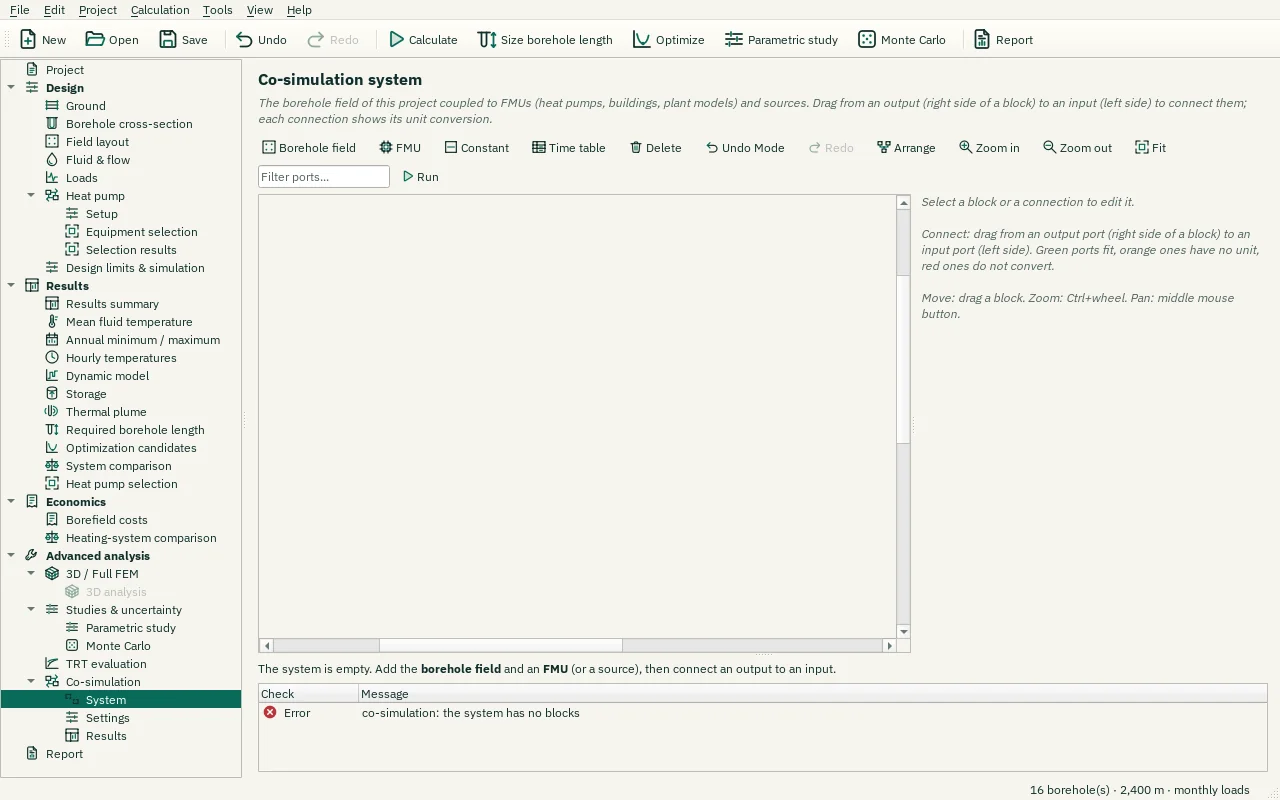
Add and connect blocks, edit parameters and validate port units. Built-in blocks include constants, tables and the borehole field. FMUs can execute native code and require explicit trust. The included demonstration FMU is shipped with this package.
Step-by-step workflows · Menus and keyboard
| Control | Meaning / action | Unit | Range / choices | Example value |
|---|---|---|---|---|
| Port filter | FMUs with many variables show their connected ports and the ports whose name contains this text. | |||
| Borehole field | Add the borehole field of this project (at most one per system). | |||
| FMU | Add a Co-Simulation FMU (FMI 2.0, 64-bit Windows). You can also drag .fmu files onto the diagram. | |||
| Constant | Add a source with a constant value. | |||
| Time table | Add a source from a CSV time table (first column the time, then one column per output; header "name [unit]"). | |||
| Delete | Delete the selected blocks and connections (Del). | |||
| Undo Mode | Undo Mode | |||
| Redo | Redo | |||
| Arrange | Arrange the blocks from left to right along the connections. | |||
| Zoom in | Zoom in (Ctrl+wheel, Ctrl++). | |||
| Zoom out | Zoom out (Ctrl+wheel, Ctrl+−). | |||
| Fit | Show the whole diagram (Ctrl+0). | |||
| Run | Run the co-simulation (settings on the Settings page). | |||
| Own conversion (factor and offset) | Replace the unit conversion by value_to = factor × value_from + offset, e.g. factor −1 for an opposite sign convention. | |||
| Factor: | value_to = factor × value_from + offset | -1e+09 to 1e+09 | 0 | |
| Offset: | value_to = factor × value_from + offset | -1e+09 to 1e+09 | 0 | |
| Name: | Name shown on the diagram, in the results and in the report. | |||
| Time column in: | Unit of the first column (the time). | Seconds / Minutes / Hours / Days | ||
| Interpolation: | Select one of the listed alternatives. | Hold (step) / Linear | ||
| Repeat periodically | Repeat the table after its last row (e.g. one year of hourly values for every year). | |||
| Choose file… | Select a local FMU or table file for the selected system block. | |||
| Value: | The value of the output y. | -1e+12 to 1e+12 | 0 | |
| Unit: | Unit of the value, e.g. W, kW, degC, K, kg/s, l/s, m3/h (empty: none). | / W / kW / degC / K / kg/s / l/s / m3/h / Pa / bar | ||
| Open the FMU page | Open the selected FMU block’s information, variables, parameters and trust page. | |||
| Replace file… | Choose a replacement file; inspect changed ports, parameters and trust requirements. | |||
| Borehole model: | Borehole model of the coupled borehole field. The dynamic model is not available in the co-simulation yet. | As in the project / Steady resistance / Short-time (heat capacity) / Dynamic | ||
| Ground-history step: | Time step of the ground history (0 = automatic). | s | 0 to 86400 | 0 |
| Pre-conditioning: | Pre-conditioning of the ground before the coupled run starts. | None / Constant ground load / The project's loads | ||
| Pre-conditioning period: | Years of pre-conditioning. | years | 0 to 100 | 0 |
| Pre-conditioning load: | Constant ground load of the pre-conditioning (> 0 injection). | kW | -1e+06 to 1e+06 | 0 |
| Reverse flow: | What a negative mass flow does:Symmetric: the same field run with the flow as given (with the dynamic model and the ground coupling per ring or per borehole this reverses the network);Stagnant: the fluid stands still;Refuse: an error;Reverse the network: the strings run backwards and T_in enters at the normal outlet (thermal energy storage: charge one way, discharge the other). | Symmetric / Stagnant / Refuse (error) / Reverse the network | ||
| Undo | Undo | |||
| Pre-conditioning load: | Constant ground load of the pre-conditioning (> 0 injection). | MW | -1000 to 1000 | 0 |
| Undo Units | Undo Units |