 BoreTherm
Project
Enter a name and engineering notes. Save a working copy before changing an example. The Calculation box chooses the 3D analysis level: Off, Simple FEM (a separate FEM ground response compared with the 2D design) or Full FEM (the direct 3D simulation with its own Full FEM pages); the ordinary design calculation remains analytic. Pack project includes linked data and saved FEM results for transfer. Units are stored with the project; calculations use SI internally.
3D analysis: Off / Simple FEM / Full FEM
- Off (default): no 3D pages; the design is the analytic 2D model.
- Simple FEM: the separate 3D analysis of the current design: an FEM g-function / ground response with load superposition, compared with the 2D design (Run 3D analysis, Shift+F5).
- Full FEM: the direct 3D simulation: the ground and the boreholes are stepped in time with the actual loads. The group Input › Full FEM appears with Physics & run, Materials, Groundwater flow (fully coupled TH ground only) and Transient boreholes (full transient boreholes only), and Results › Full FEM results. The physics are chosen on Physics & run; the mesh and the domain stay on the 3D analysis page.
Calculate (F5), sizing, optimisation and the studies stay 2D at every level. Guided examples of Full FEM: 12 transient boreholes · 13 groundwater flow (TH).
Step-by-step workflows · Menus and keyboard
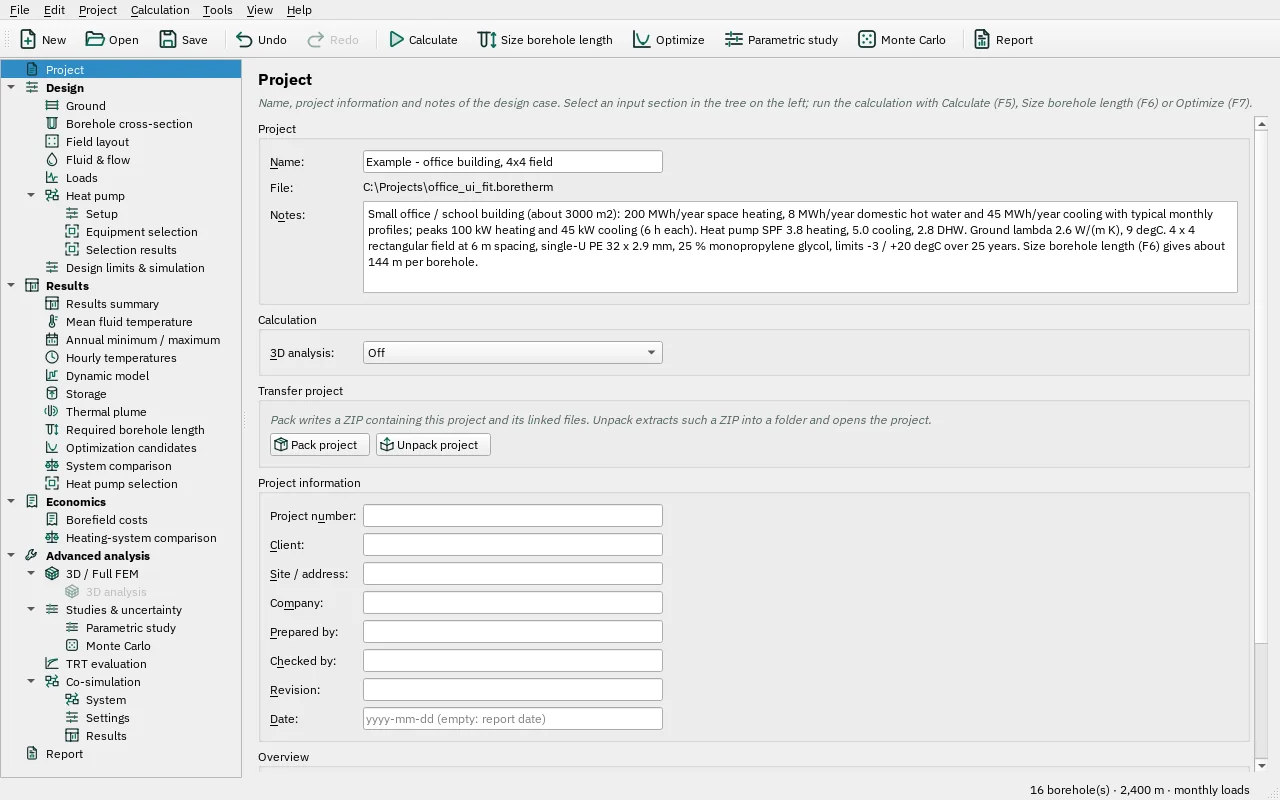
| Control | Meaning / action | Unit | Range / choices | Example value |
|---|---|---|---|---|
| Name: | Project name, used in reports and exported files. | |||
| 3D analysis: | Simple FEM adds the 3D analysis page: the current design computed with the finite element method on a 3D mesh of the ground (layers, borehole sections, groundwater and inclined boreholes as they are), compared with the analytic model, and the ground temperature field. Full FEM also adds the full 3D simulation, stepped in time with the actual loads (its physics on Full FEM › Physics run). Calculate (F5), sizing, optimisation and the studies always use the analytic model. | Off / Simple FEM / Full FEM | ||
| Pack project | Pack project | |||
| Unpack project | Unpack project | |||
| Project number: | Your project or job number, shown in the report title block. | |||
| Client: | Client or building owner. | |||
| Site / address: | Site name or address of the borehole field. | |||
| Company: | Your company, shown in the report title block. New projects start with the company of the report settings (Report page). | |||
| Prepared by: | Engineer who prepared the design. New projects start with the author of the report settings. | |||
| Checked by: | Engineer who checked the design (optional). | |||
| Revision: | Document revision, e.g. A, B or 1.0. | |||
| Date: | Document date as yyyy-mm-dd. Empty: the report uses the date it is created. |